Supercharge WordPress Plugin Search
A powerful Chrome extension that adds advanced search filters to the WordPress.org plugin directory, making it easier than ever to find exactly what you need.
Augmented Search Capabilities
Advanced Filtering
Filter plugins by downloads count, star ratings, last update date, usability rating, and health score to find exactly what you need.
Smart Sorting
Sort search results by downloads, ratings, update frequency, usability score, and health metrics for optimal discovery.
Plugin Health Score
See comprehensive health scores based on maintenance, compatibility, and security metrics.
Usability Rating
Filter by user experience ratings and ease-of-use metrics to find developer-friendly plugins.
How It Works
Install Extension
Install the Chrome extension directly from the Chrome Web Store with one click.
Visit WordPress.org
Navigate to the WordPress plugin directory as you normally would in your browser.
Enhanced Search
Enjoy powerful new filtering and sorting options automatically added to the page.
Install Plugin
Install the WordPress plugin directly from the WordPress.org Plugin Directory or from your admin dashboard.
Access Admin Dashboard
Log into your WordPress admin area and navigate to plugin management sections.
Enhanced Plugin Search
Use the advanced filtering and sorting features within your WordPress admin dashboard.
Ready to Transform Your Plugin Search?
Choose your preferred way to enhance the WordPress Plugin Directory - browser extension or WordPress plugin.
 Chrome Extension
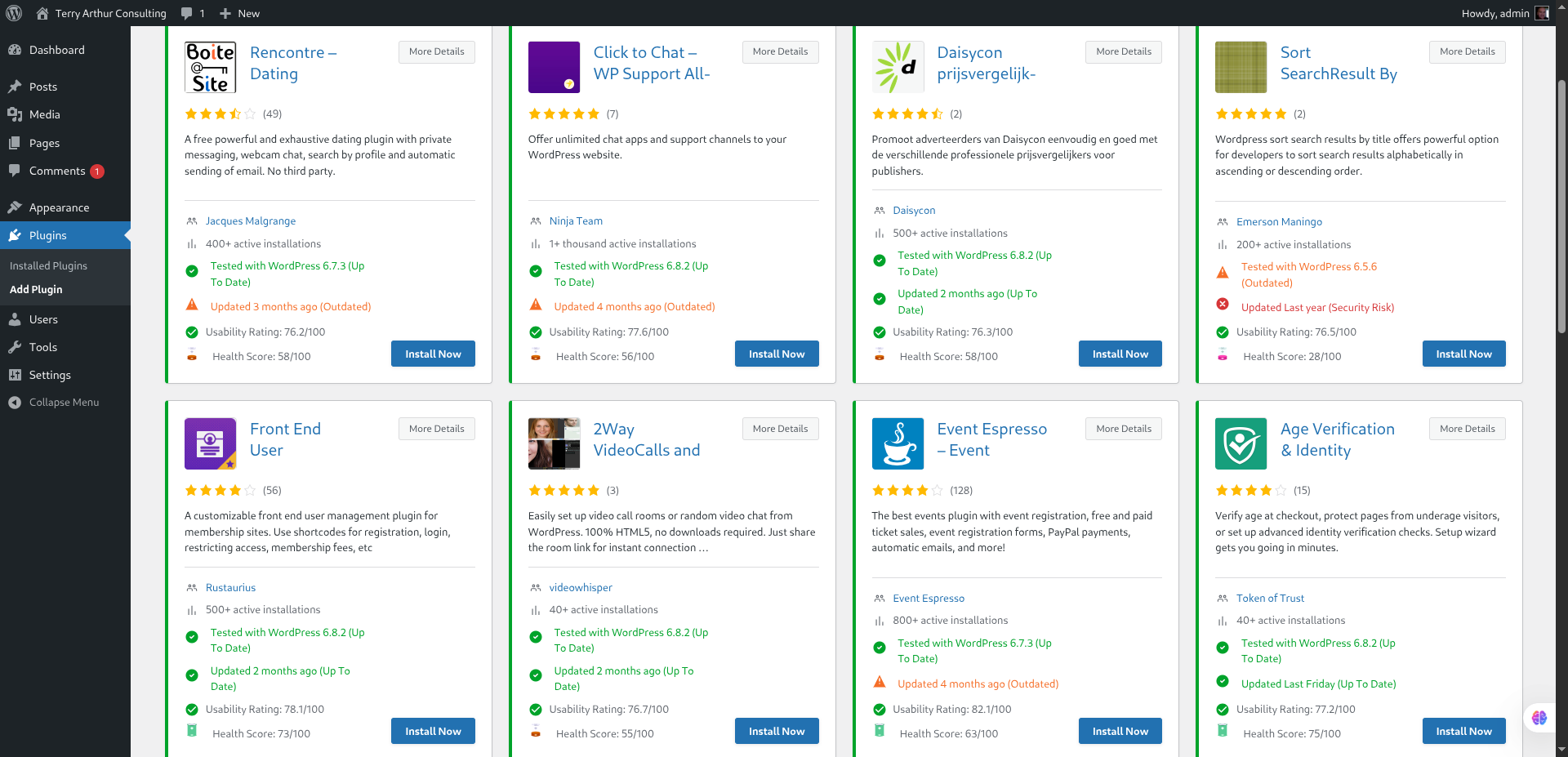
Adds enhanced search filters directly to wordpress.org/plugins in your browser.
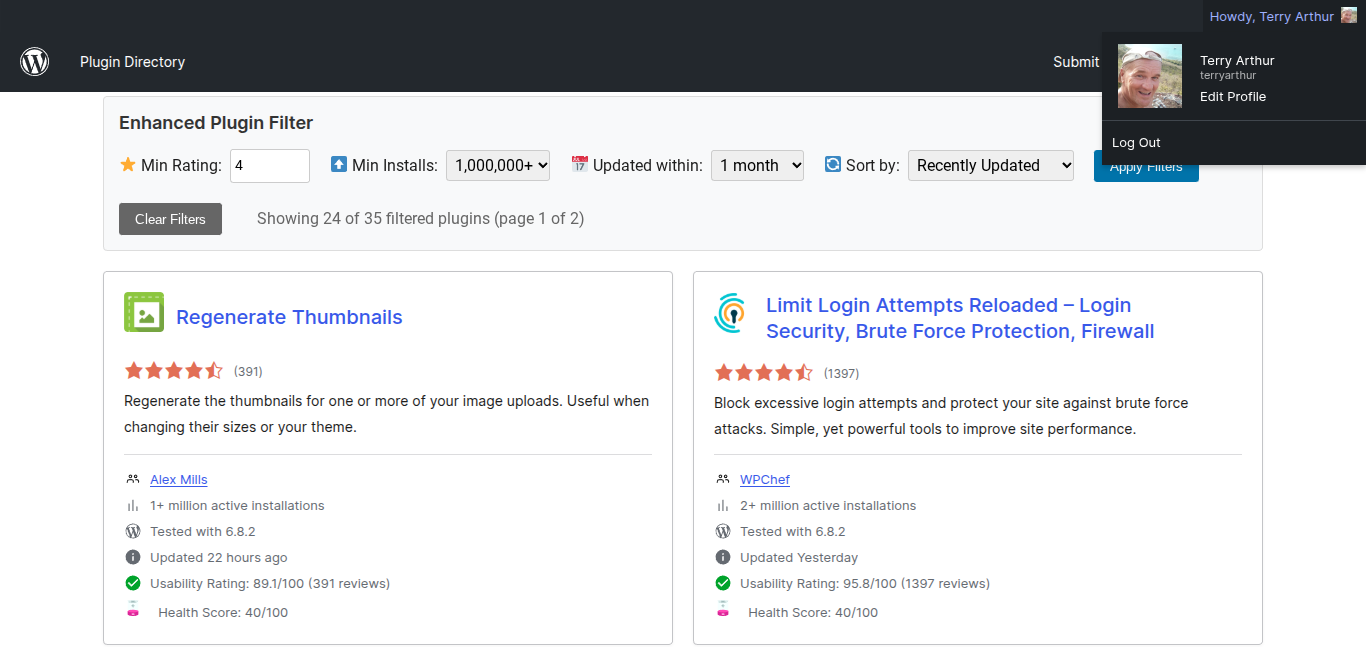
Chrome Extension in action (click to enlarge)
Installation Instructions
- Visit Chrome Web Store: Click the "Install Extension" button below to go to the Chrome Web Store
- Add to Chrome: Click "Add to Chrome" on the Chrome Web Store page
- Confirm: Click "Add extension" when prompted to complete the installation
The extension is now officially published on the Chrome Web Store for easy, secure installation!
What This Extension Does
- Adds advanced filtering options to the WordPress Plugin Directory
- Provides plugin health scores and ratings
- Enhanced search and sorting capabilities
- Improved user interface for better plugin discovery
Security & Privacy
- This extension only works on wordpress.org/plugins pages
- No data is collected or transmitted to external servers
- All processing happens locally in your browser
- Open source - you can review the code
Troubleshooting
- Extension not working: Refresh the WordPress plugin directory page
- Still having issues: Try clearing the browser cache or hard refreshing the page
 WordPress Plugin
Install directly on your WordPress site to add enhanced search functionality to your admin dashboard.
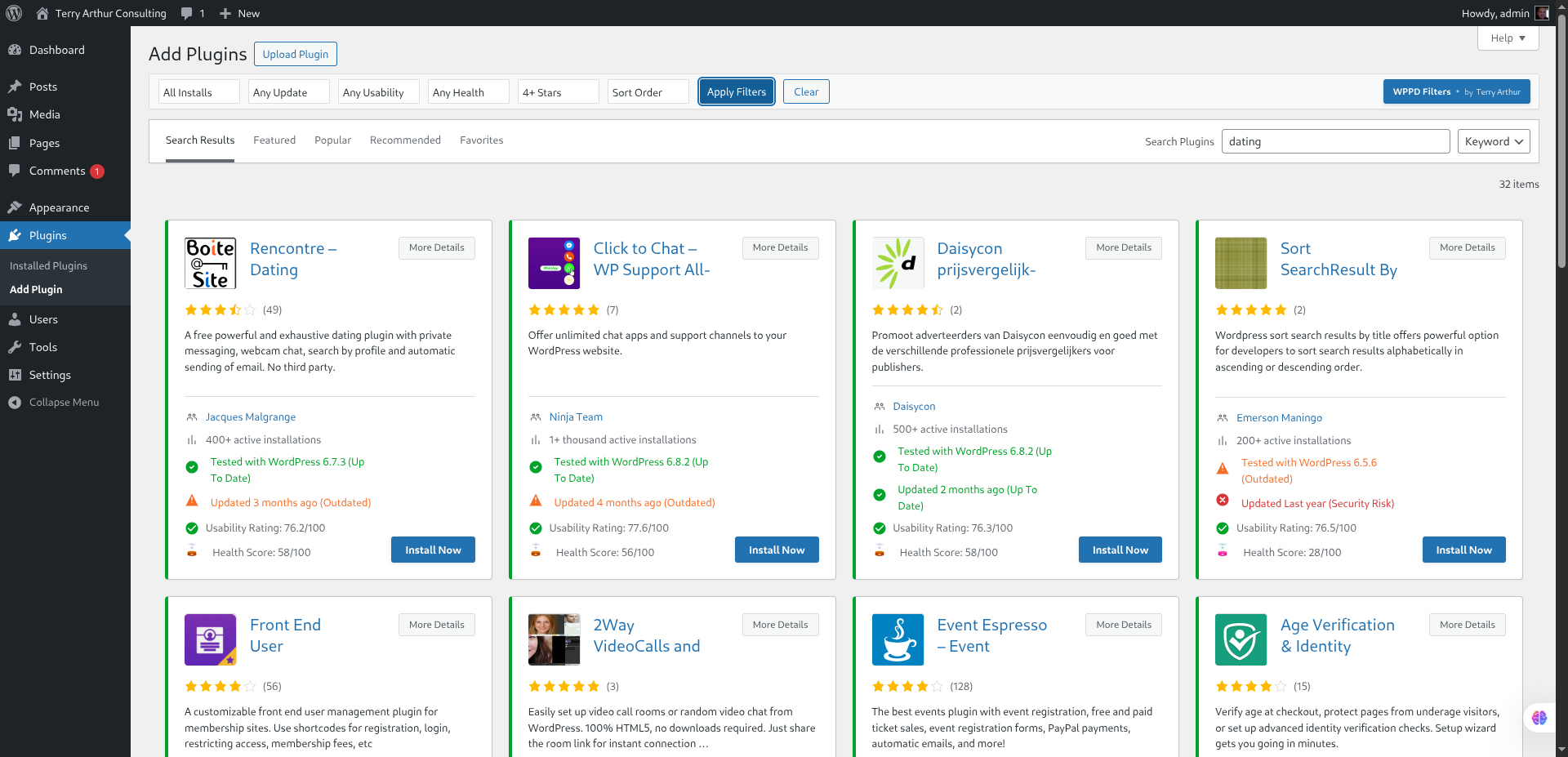
WordPress Plugin admin interface (click to enlarge)
Installation Instructions
Method 1: Install from WordPress Admin (Recommended)
- Log into your WordPress admin: Go to your site's wp-admin area
- Navigate to Plugins: Click Plugins → Add New
- Search: Type "WPPD Filters" in the search box
- Install: Click "Install Now" on the WPPD Filters plugin card
- Activate: Click "Activate Plugin" to enable the enhanced search features
Method 2: Install from WordPress.org
- Visit the plugin page: WordPress.org Plugin Directory
- Download: Click the "Download" button
- Upload: In your WordPress admin, go to Plugins → Add New → Upload Plugin
- Install: Choose the downloaded file and click "Install Now"
- Activate: Click "Activate Plugin" when installation completes
The plugin is now officially published on WordPress.org for easy, trusted installation!
What This Plugin Does
- Adds enhanced plugin search functionality to your WordPress admin
- Provides plugin health scores and ratings in your dashboard
- Advanced filtering and sorting capabilities for plugin management
- Better plugin discovery tools for developers
Security & Privacy
- Plugin only operates within your WordPress admin area
- No external data transmission - all processing is local
- Follows WordPress security best practices
- Open source - review the code before installation
Plugin Troubleshooting
- Upload failed: Check file size limits in WordPress settings
- Plugin not working: Ensure WordPress version 5.0 or higher
- Features missing: Clear any caching plugins and refresh admin pages
Get in Touch

Built by Terry Arthur
An AI-enhanced developer and human passionate about improving developer workflows and user experiences.
Need Support?
Have Questions or Feedback?
I'd love to hear from you! Whether you have feature requests, bug reports, need support, or just want to say hello.
 WhatsApp